

Detailed instructions on how to create a free Minecraft account
| Version | Mới nhất |
|---|---|
| Cập Nhật Gần Nhất | August 28, 2024 |
| Thể loại | Giftcode & Cẩm nang game |
| Support | Android, iOS |
| >Google Play ID | Không xác định |
Minecraft is a popular sandbox game that allows players to explore and build in a unique 3D world. Although familiar, many people still do not know how to create a Minecraft account to experience the game. Not having an account will prevent you from participating in any mode in Minecraft. Don’t worry, registering a Minecraft account is completely free and very simple. Follow the instructions below to quickly create an account on your device.
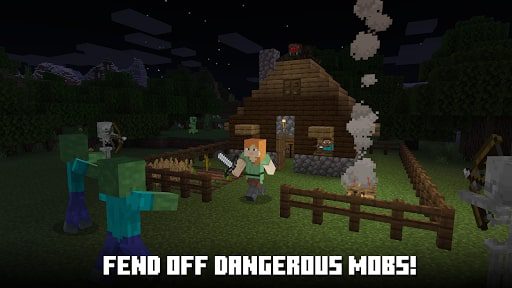
What is Minecraft?
Minecraft is a popular sandbox game with a unique 3D blocky world. With simple but attractive gameplay, many game modes, and impressive graphics, Minecraft allows players to freely explore, build and survive in an endless world. In addition, this game is constantly being improved, attracting more and more gamers to participate in interesting challenges. In particular, creating a Minecraft account is completely free, making participating in the game easier than ever.
Detailed instructions on how to create a free Minecraft account
Here are the detailed steps to register for a free Minecraft account using Gmail. With just a few simple steps, you can own an account to start your journey of discovery in Minecraft.
Quick instructions:
- Go to minecraft.net.
- Select Account > Sign In > Register via Microsoft.
- Enter your information and confirmation code to complete the registration.
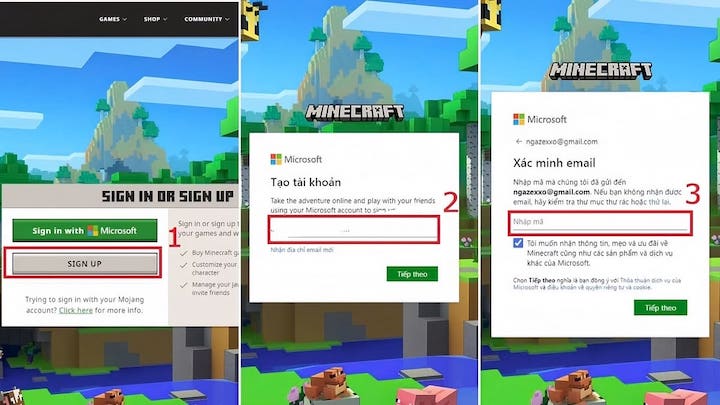
Detailed instructions:
- Access the Minecraft homepage: Go to minecraft.net, select Account in the right corner of the screen, then click Sign In.
- Register for a Microsoft account: Select Sign Up, enter the address Gmail and click next.
- Enter personal information: Select your country and date of birth, then continue.
- Confirm your account: Check your Gmail inbox for a confirmation code, enter the code on the registration page.
- Complete registration: Solve a puzzle to verify you are not a robot to complete the registration process.
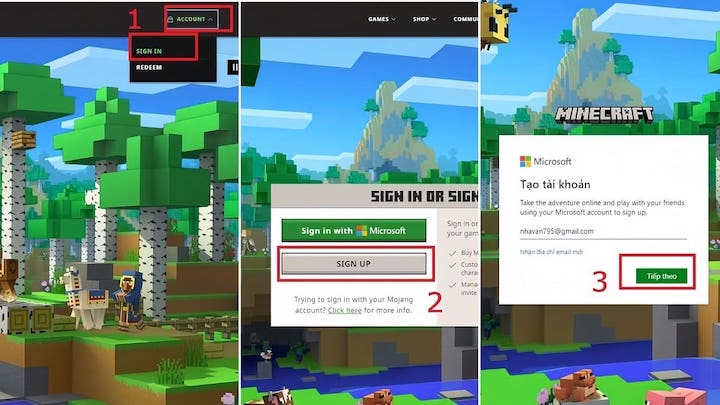
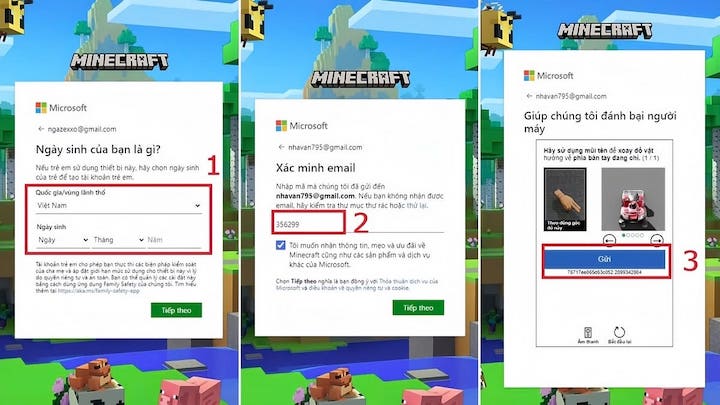
Note: The account creation process may change over time. If you have any difficulties, please contact us for support.
Why do you need an account to play Minecraft?
To participate in any game mode in Minecraft, from adventure, survival, creative to playing with friends, you must have an account. A Minecraft account not only helps to store your gaming journey but also allows you to connect with the global player community, receive notifications and rewards from Minecraft quickly.
Conclusion
Registering a Minecraft account is completely free and very simple. Follow the instructions above to quickly own an account and join the fascinating blocky world of Minecraft. Don’t miss the chance to experience this famous game with your friends and the global gaming community!